Thursday, 7 May 2015

PDI - Loading CSV File to Table


                     Hi guys, let us follow the simple steps to load a csv file to a table and the vice versa.

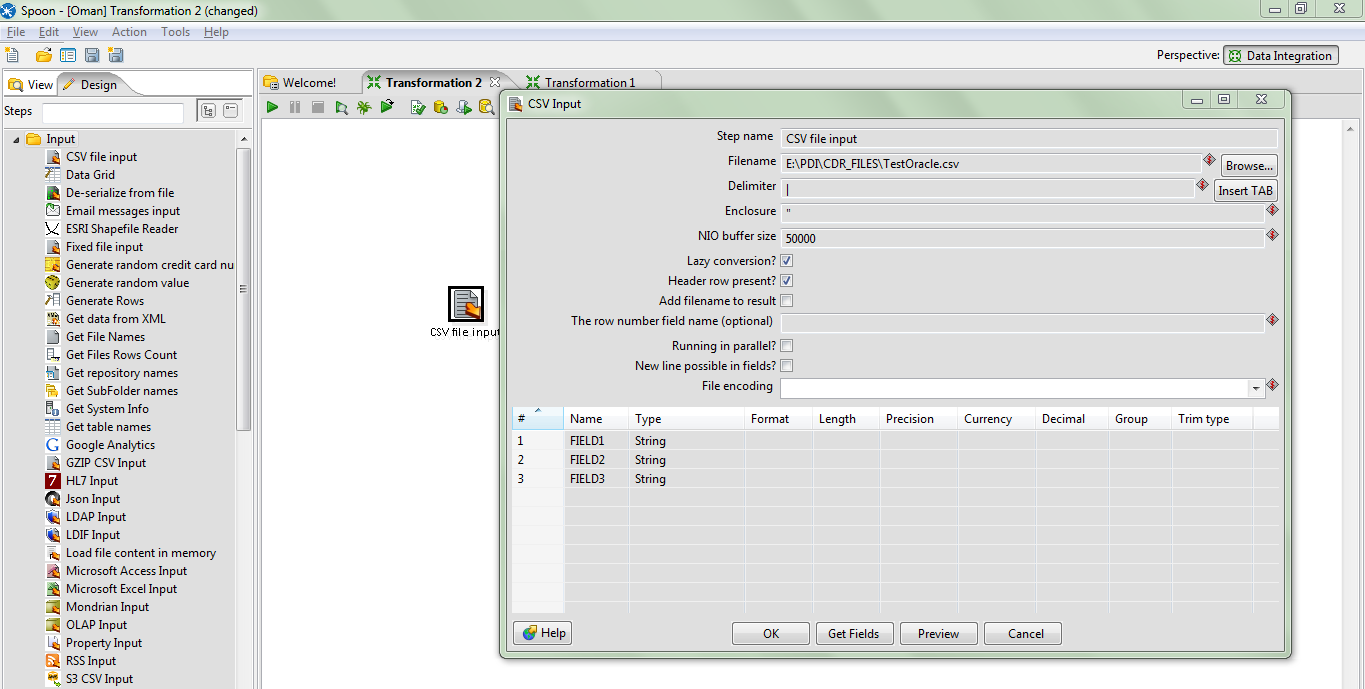
Step 1 : Drag the text file input to the workspace.


Step2: Double click on the file input and give the proper values for the tabs.


 Step 3: After given the values , click get fields to get all the fields from the file.


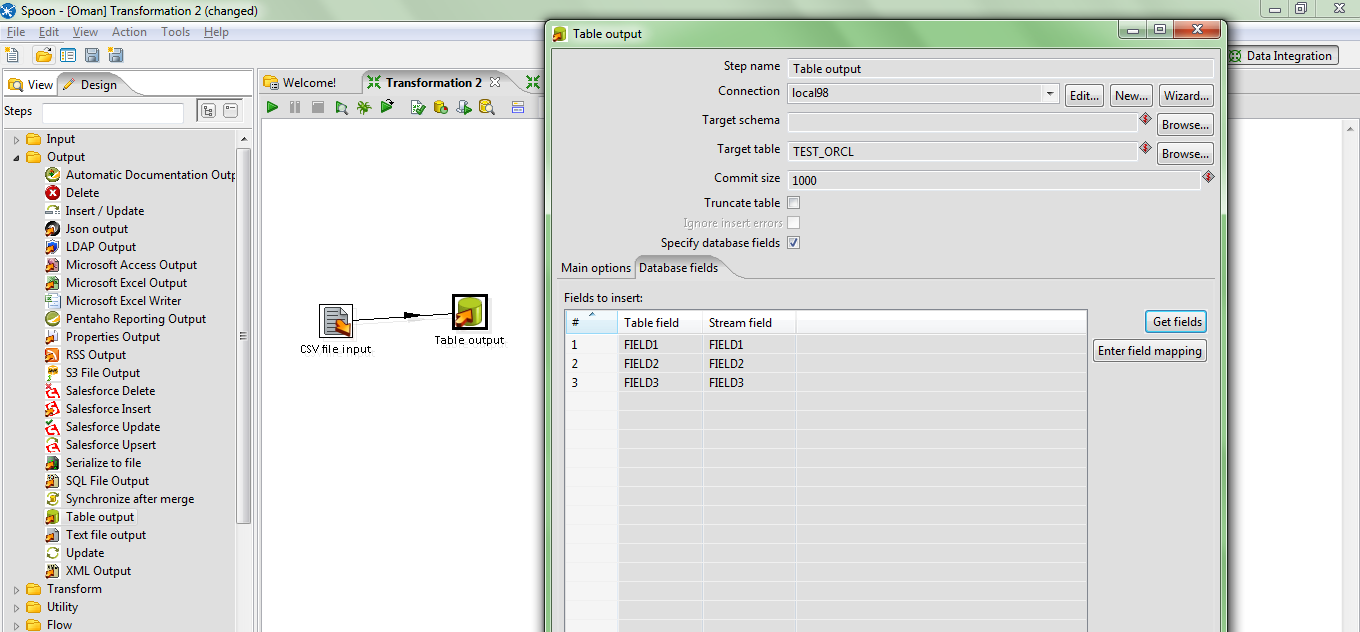
Step 4: Then, drag the table output and link the input and output.

 
Step 5: Give all the db credentials in connection box and give the field names.


Step 6: Then run the transformation, data will be loaded into the table.


Thanks.
Queries are highly appreciated....
Dilip Yadav S


Monday, 8 September 2014

Intro

Hi Guys,
 
          I am Dilip Yadav S, working as a BI developer on Pentaho BI Suite around 2.7Yrs. having wide range of knowledge in Buisness Intelligence tools.

Pentaho :

           Currently  Pentaho is the worlds best Open Source Buisness Intelligence tool. Recently they have updated the look and feel, performance, and merged the admin and biserver into a single GUI which is easy for the End user, as well as for the Developers.


When you look at the below graph, the most of the clients or companies using the pentaho as a BI tool , because of the extraordinary features and the frequent updates with latest techniques.